1.Double Exposure Fine Art (Like Your Reference)
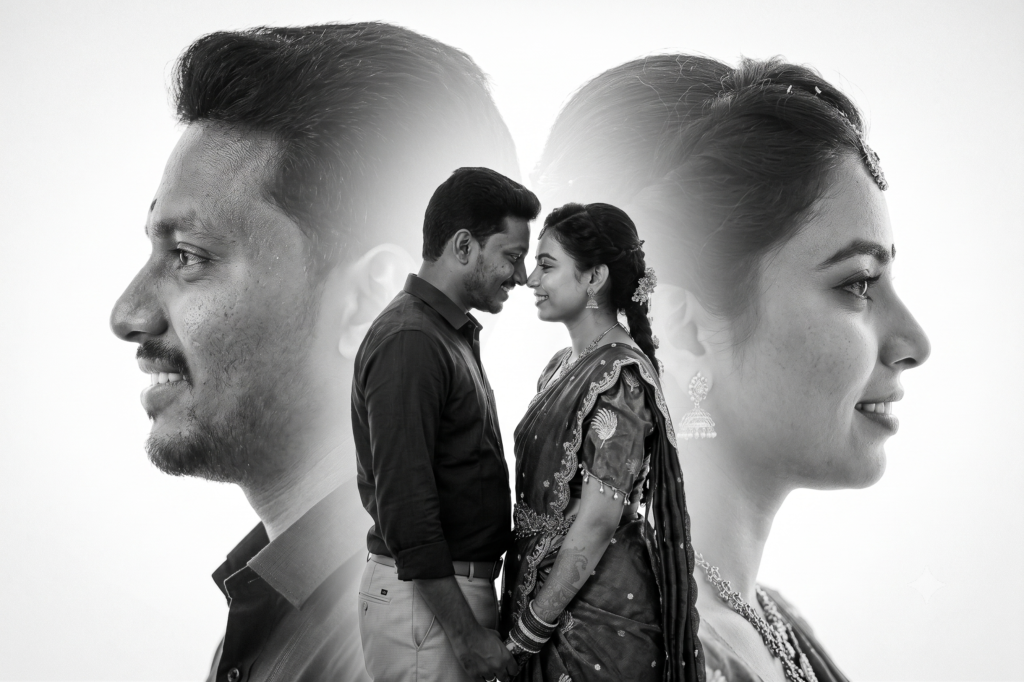
Create a luxury fine-art double exposure wedding portrait using the uploaded couple photos. Preserve both faces exactly without changing identity. Place a large faded side profile of the groom on the left and a large faded side profile of the bride on the right. In the center, blend a romantic full-body portrait of the couple gently touching foreheads. Pure white background, monochrome black and white, cinematic studio lighting, elegant soft shadows, museum-quality fine art, Hasselblad X2D medium format photography, dreamy atmosphere, premium wedding editorial, ultra-realistic 8K.
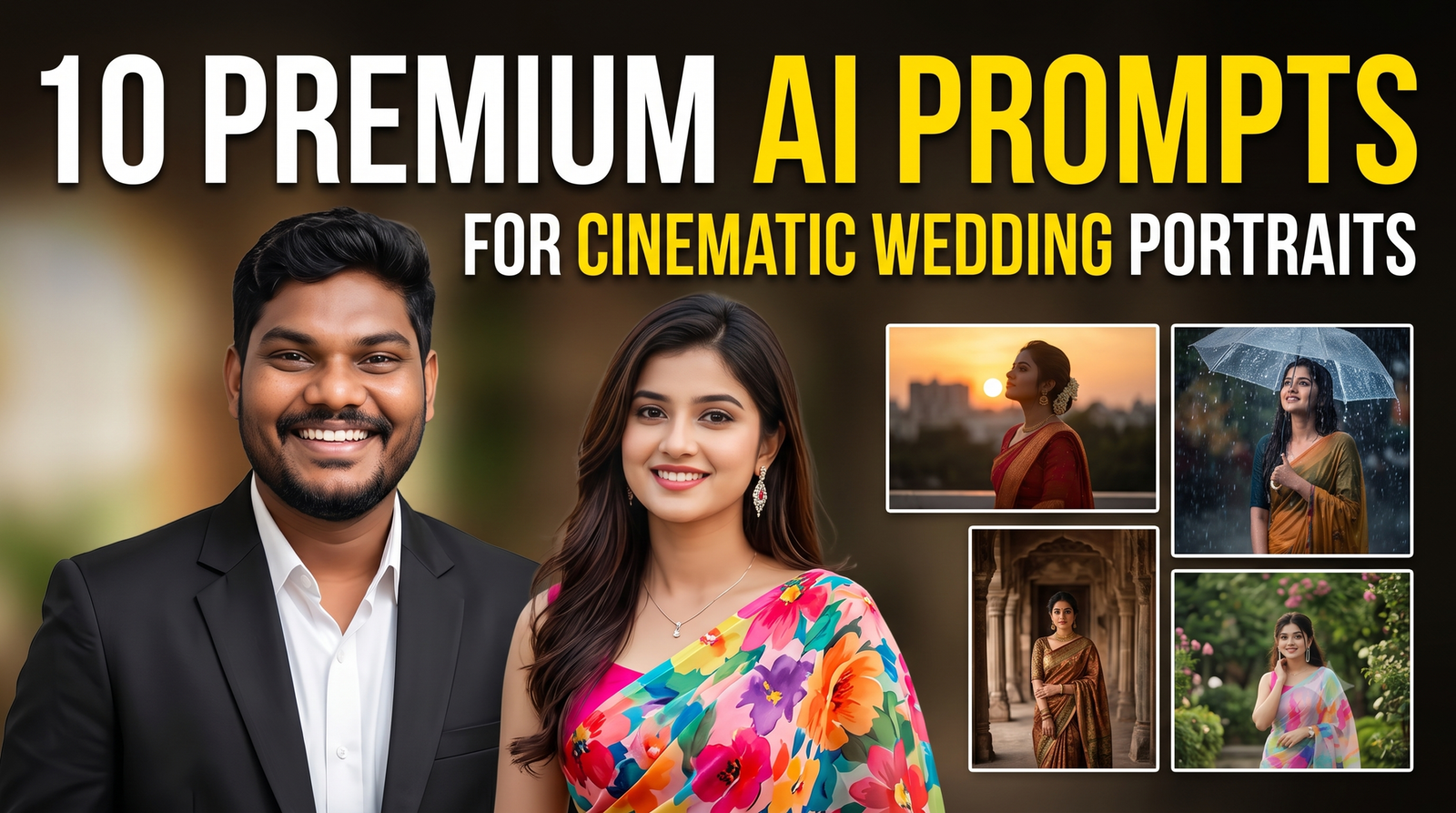
2.Royal Wedding Portrait
Transform the uploaded couple into a royal king and queen portrait. Preserve their exact faces and identities. Dress them in luxurious royal wedding attire with intricate embroidery, golden crowns, emerald jewelry, velvet royal robes, majestic palace background, dramatic golden sunlight entering through palace windows, Renaissance-inspired composition, cinematic lighting, ultra-realistic textures, award-winning fashion photography, 8K.
3.Moonlight Romance
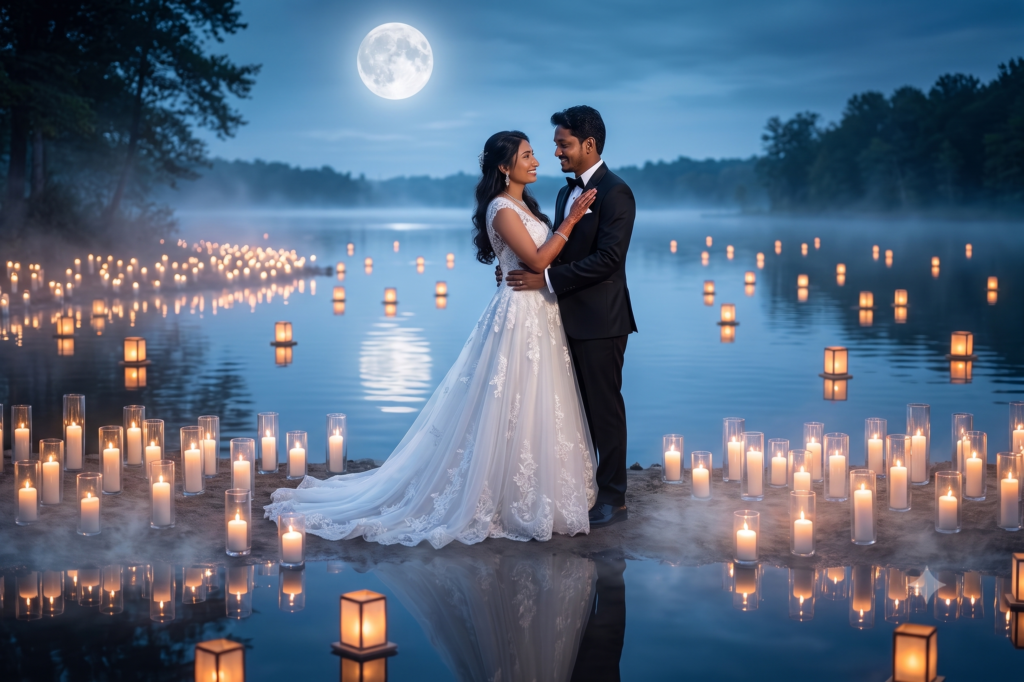
Create an ultra-romantic wedding portrait under a full moon beside a calm lake. Preserve the uploaded faces exactly. White flowing wedding dress, elegant black tuxedo, thousands of glowing candles, floating lanterns, misty reflections, dreamy blue tones, cinematic lighting, magical atmosphere, luxury editorial wedding photography, hyper-realistic 8K.
4.Glass Reflection Portrait
Create a premium wedding portrait using artistic glass reflections. Preserve the uploaded couple’s identities exactly. Capture multiple elegant reflections through crystal glass panels, soft natural lighting, luxurious hotel interior, minimal composition, fashion editorial style, monochrome with subtle highlights, Hasselblad medium format photography, ultra-realistic skin texture.
5.Rain Romance
Create an emotional rainy wedding portrait. Preserve both uploaded faces perfectly. Couple standing under a transparent umbrella during gentle rain, warm street lights creating beautiful reflections, cinematic atmosphere, soft bokeh lights, luxurious black formal wear, emotional storytelling, Netflix-style color grading, ultra-realistic 8K.
6.Flower Tunnel
Create a breathtaking wedding portrait inside an endless tunnel filled with white roses, orchids and baby’s breath flowers. Preserve the uploaded couple’s faces exactly. Soft sunlight enters through the flowers, dreamy atmosphere, luxury wedding editorial, elegant composition, premium photography, ultra-realistic details, 8K.
7.Floating Clouds
Create a surreal luxury wedding portrait where the uploaded couple stands on floating clouds above the earth. Preserve their faces exactly. Golden sunrise, heavenly atmosphere, flowing white dress, cinematic volumetric lighting, dramatic clouds, fantasy realism, divine elegance, ultra-detailed 8K masterpiece.
8.Infinity Mirror Room
Create a futuristic infinity mirror wedding portrait. Preserve the uploaded identities exactly. Couple surrounded by endless reflections inside a luxurious mirror room with soft white LED lighting, premium fashion photography, minimal luxury aesthetic, cinematic composition, ultra-realistic reflections, 8K.
9.Fine Art Museum
Transform the uploaded couple into a timeless museum-style fine-art portrait. Preserve their exact faces. Elegant black and white styling, minimalist background, dramatic Rembrandt lighting, soft shadows, editorial wedding photography, artistic composition worthy of an international photography exhibition, Hasselblad medium format, ultra-realistic 8K.
10.Dreamy Silhouette
Create an award-winning silhouette wedding portrait during golden hour. Preserve the uploaded couple’s identities. Giant glowing sunset behind them, warm orange skies, mountains in the distance, romantic embrace, cinematic lens flare, luxury wedding editorial, emotional storytelling, breathtaking composition, ultra-realistic 8K masterpiece.
Tip
For the best results, add this instruction at the end of every prompt:
Use the uploaded couple photos as the only reference for facial identity. Preserve facial structure, skin tone, hairstyle, and expressions exactly. Use any reference image only for composition and artistic style—not for the faces.
How to Create Stunning AI Double Exposure Wedding Portraits with Gemini AI (Complete Guide 2026)
Artificial Intelligence has completely changed the way photographers, designers, and couples create wedding portraits. A few years ago, creating a luxury double exposure wedding portrait required hours of Photoshop editing, advanced masking techniques, and years of experience. Today, tools like Gemini AI can generate breathtaking fine-art wedding portraits in just a few minutes.
If you’ve ever admired those elegant black-and-white portraits where large side profiles blend seamlessly with a romantic couple portrait in the center, this guide will show you how to create them using Gemini AI.
What is a Double Exposure Wedding Portrait?
A double exposure portrait is an artistic photography style that combines multiple images into one elegant composition.
Typically, it includes:
- A large side profile of the groom
- A large side profile of the bride
- A romantic full-body pose in the center
- Soft blending effects
- Minimalist white background
- Fine-art black-and-white editing
The result looks premium, emotional, and timeless.
This style has become increasingly popular among wedding photographers because it creates a gallery-worthy portrait that couples love to frame in their homes.
Why is This Style Trending?
Luxury wedding photographers worldwide are using this editing style because it offers:
- Elegant storytelling
- Cinematic appearance
- Premium wedding album design
- Minimal yet emotional composition
- Modern fine-art aesthetic
- Instagram-worthy visuals
Instead of showing multiple wedding photos separately, a single double exposure image tells the complete love story.
Can Gemini AI Create This Effect?
Yes.
Gemini AI is capable of generating creative portrait compositions when provided with high-quality reference images and detailed prompts.
The key is writing a descriptive prompt that explains:
- Composition
- Lighting
- Camera style
- Mood
- Background
- Facial preservation
- Artistic direction
The more detailed your prompt is, the better the final result.
Images You’ll Need
Before generating your portrait, collect these photos:
Groom Side Profile
A clean side-profile image with good lighting.
Bride Side Profile
A matching side-profile photo facing the opposite direction.
Couple Portrait
A full-body image where both partners are standing together.
High Resolution
Use images with at least 3000 pixels on the longest side for the best results.
Avoid blurry or low-quality photos.
Best Gemini AI Prompt
Use a prompt like this:
Create a luxury fine-art double exposure wedding portrait using only the uploaded couple photos. Preserve both faces exactly as they appear in the uploaded images. Place a large faded side profile of the groom on the left and a large faded side profile of the bride on the right. Blend a romantic full-body portrait of the couple in the center with soft transitions. Use a clean white background, monochrome black-and-white tones, cinematic studio lighting, elegant shadows, premium wedding editorial photography, Hasselblad medium-format camera quality, realistic skin textures, dreamy atmosphere, ultra-sharp details, museum-quality fine-art composition in 8K resolution.
Why Prompt Details Matter
Many beginners simply write:
Create a wedding portrait.
This usually produces average results.
Instead, specify every important detail:
- Camera
- Lens
- Lighting
- Color grading
- Mood
- Composition
- Artistic style
- Facial preservation
Detailed prompts give AI a much clearer direction.
Best Camera Styles to Mention
Mentioning professional cameras helps guide the aesthetic.
Popular choices include:
- Hasselblad X2D
- Sony A1
- Canon EOS R5
- Nikon Z8
- Leica SL3
- Fujifilm GFX100 II
These references often produce a premium editorial look.
Best Lens References
Adding a lens can improve depth and realism.
Examples:
- 85mm f/1.2
- 50mm f/1.2
- 105mm Portrait Lens
- 135mm f/1.8
- Medium Format Portrait Lens
Best Lighting Styles
Lighting dramatically affects the final image.
Popular options include:
- Soft studio lighting
- Window light
- Diffused natural light
- Golden hour glow
- Rembrandt lighting
- Butterfly lighting
- Cinematic rim lighting
For fine-art portraits, soft diffused lighting works best.
Choose the Right Background
A simple background keeps the focus on the couple.
Good choices include:
- Pure white
- Soft grey
- Light beige
- Studio backdrop
- Minimal textures
Avoid busy backgrounds that distract from the composition.
Black & White vs Color
Black-and-white portraits feel:
- More emotional
- More elegant
- More timeless
- More luxurious
Color portraits work well for outdoor or floral themes, but monochrome is ideal for classic fine-art.
Preserve Facial Identity
One of the most important instructions is:
Preserve the uploaded faces exactly.
This helps maintain:
- Facial structure
- Eye shape
- Nose
- Smile
- Hairstyle
- Skin tone
- Identity
Without this instruction, AI may create faces that look different from the originals.
Creative Variations
Once you’ve mastered the classic double exposure, try these styles:
Royal Palace Portrait
Place the couple in a luxurious palace with elegant attire.
Moonlight Romance
Use a full moon, reflections, and soft blue lighting.
Floral Dream
Surround the couple with white roses and orchids.
Rain Romance
Capture a cinematic rainy evening with glowing street lights.
Mountain Sunrise
Feature dramatic peaks and warm sunrise colors.
Infinity Reflection
Use mirrors to create endless artistic reflections.
Museum Fine Art
Emulate a timeless portrait displayed in an art gallery.
Tips for Better AI Results
- Upload high-resolution photos.
- Use clear side profiles.
- Match lighting across reference images.
- Include a full-body couple photo.
- Be specific about composition.
- Mention “fine-art editorial photography.”
- Ask for realistic skin textures.
- Specify “8K ultra-realistic.”
Common Mistakes
Avoid these issues:
- Low-resolution photos.
- Mixed lighting conditions.
- Vague prompts.
- Overly busy backgrounds.
- Ignoring facial preservation.
- Using too many style references at once.
Keeping the prompt focused usually leads to better results.
Who Can Use This?
This technique is perfect for:
- Wedding photographers
- Graphic designers
- AI artists
- Wedding album creators
- Social media creators
- Print studios
- Couples creating personalized wall art
Final Thoughts
AI tools like Gemini have made fine-art wedding portrait creation faster and more accessible than ever. With the right photos and a carefully written prompt, you can achieve an elegant double exposure effect that once required extensive Photoshop expertise.
Focus on high-quality reference images, preserve the couple’s identities, and describe the composition in detail. Whether you’re creating a wedding album centerpiece, a framed wall print, or engaging social media content, this timeless style delivers a premium and memorable result.
If you’re a wedding photographer or content creator, adding AI-generated fine-art portraits to your workflow can help you offer unique creative options while saving editing time and inspiring new visual ideas.